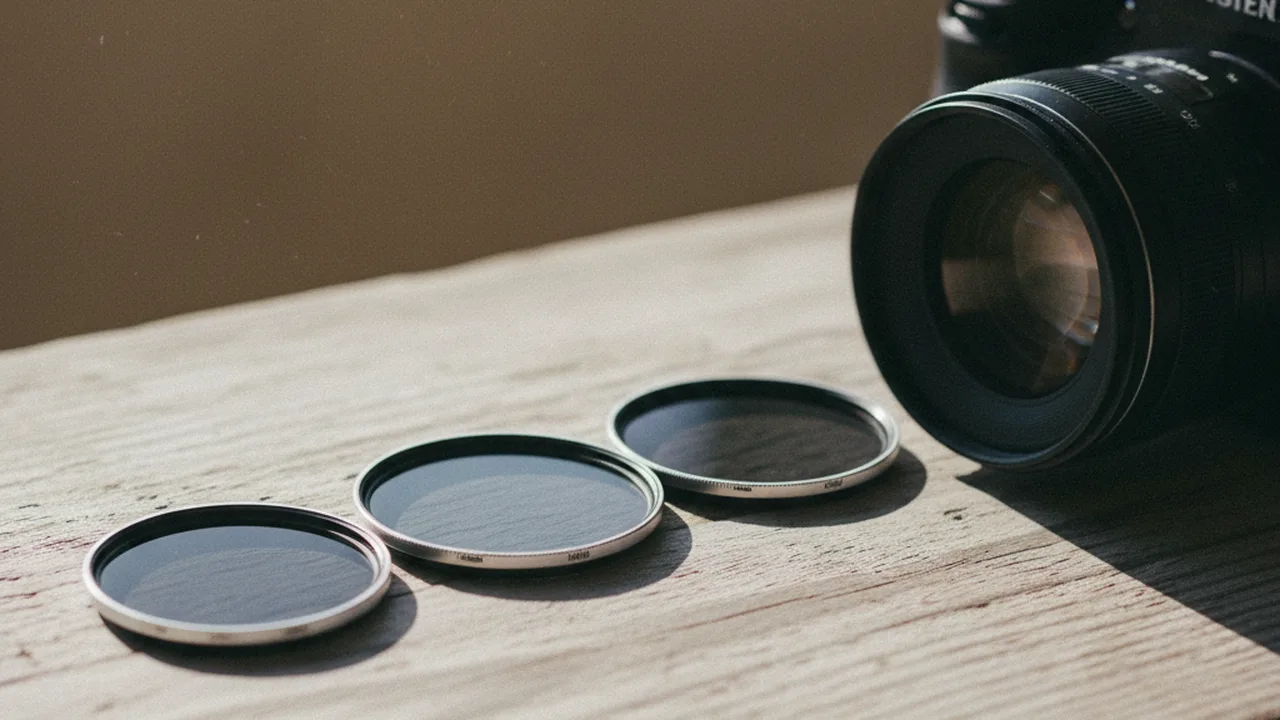
You’re standing at a waterfall on a bright afternoon, camera on a tripod, and you want that dreamy, silky water effect you’ve seen in landscape magazines. You set the shutter speed to 2 seconds — and the image comes back completely white. An ND filter would have saved that shot. Neutral density filters are one of the most practical tools in photography, yet many photographers either skip them entirely or buy the wrong ones. This guide covers exactly what ND filters do, which strengths you actually need, and how to use them for sharper, more creative images.
🔑 Key Takeaways
- ND filters reduce light entering the lens without changing color — like sunglasses for your camera
- 3-stop, 6-stop, and 10-stop are common fixed strengths for different lighting and exposure goals
- Circular screw-on filters are easiest for beginners; square systems offer more flexibility
- Long exposure, motion blur, and wide aperture in bright light are the three core use cases
What Is an ND Filter and How Does It Work?
A neutral density filter is a piece of darkened glass (or resin) that attaches to the front of your lens. Its purpose is to reduce the light reaching the sensor while changing color as little as possible. Real filters can still introduce a color cast. Think of it as controlled darkness.
The “neutral” part is critical. Unlike a polarizing filter that changes reflections, or a color filter that shifts white balance, a properly made ND filter should make the image darker and nothing else.
Why not just use a smaller aperture? Two reasons. First, most lenses lose sharpness beyond f/11 or f/16 due to diffraction — the physics of light bending around very small aperture blades. Second, a smaller aperture also increases depth of field, which you might not want. An ND filter lets you control exposure independently of aperture and ISO.
ND Filter Strengths Explained
ND filters are rated by how many stops of light they block. One stop halves the light. The naming conventions are notoriously confusing — the same filter might be labeled three different ways depending on the manufacturer. Here’s the decoder ring:
| Stops | ND Number | Optical Density | Light Reduction | Best For |
|---|---|---|---|---|
| 1 stop | ND2 | 0.3 | 50% | Subtle motion blur |
| 2 stops | ND4 | 0.6 | 75% | Wider aperture in sun |
| 3 stops | ND8 | 0.9 | 87.5% | Moving water, clouds |
| 6 stops | ND64 | 1.8 | 98.4% | Smooth water, crowd removal |
| 10 stops | ND1000 | 3.0 | 99.9% | Ultra-long exposure, daytime 30s+ |
| 15 stops | ND32768 | 4.5 | 99.997% | Extreme daytime long exposure |
Start with the exposure you need: a 3-stop filter passes one-eighth of the light; 6 stops passes one-sixty-fourth; 10 stops passes about one-thousandth. Stacking filters adds their stop values but may increase vignetting, flare, and color shift.
When to Use an ND Filter: 5 Real Scenarios
1. Silky Waterfalls and Streams
This is the classic ND filter application. A shutter speed between 0.5 and 8 seconds turns turbulent water into a smooth, flowing texture. Without an ND filter on a sunny day, you’d need f/22 and ISO 50 to get even 1/4 second — and the image would be soft from diffraction.
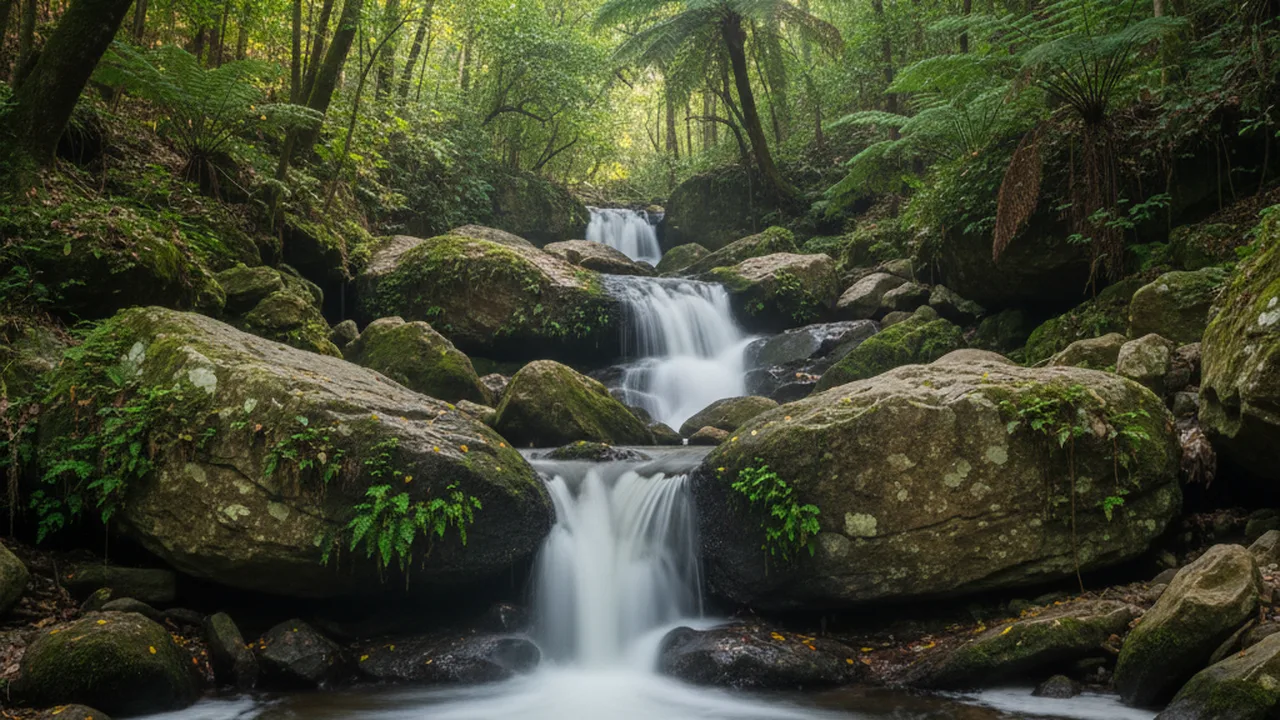
Recommended filter: 6-stop ND64 in overcast conditions, 10-stop ND1000 in full sun. Set your camera to aperture priority at f/8–f/11, attach the filter, and let the camera calculate the longer shutter speed. Switch to manual if the metering struggles.
2. Smoothing Ocean Waves
Exposures of 15–30 seconds flatten waves into a misty, ethereal surface. At 1–4 minutes, the ocean becomes a flat mirror with fog-like atmosphere. This effect transforms busy seascapes into minimalist compositions — particularly powerful at sunrise and sunset when the warm light blends with the smooth water.
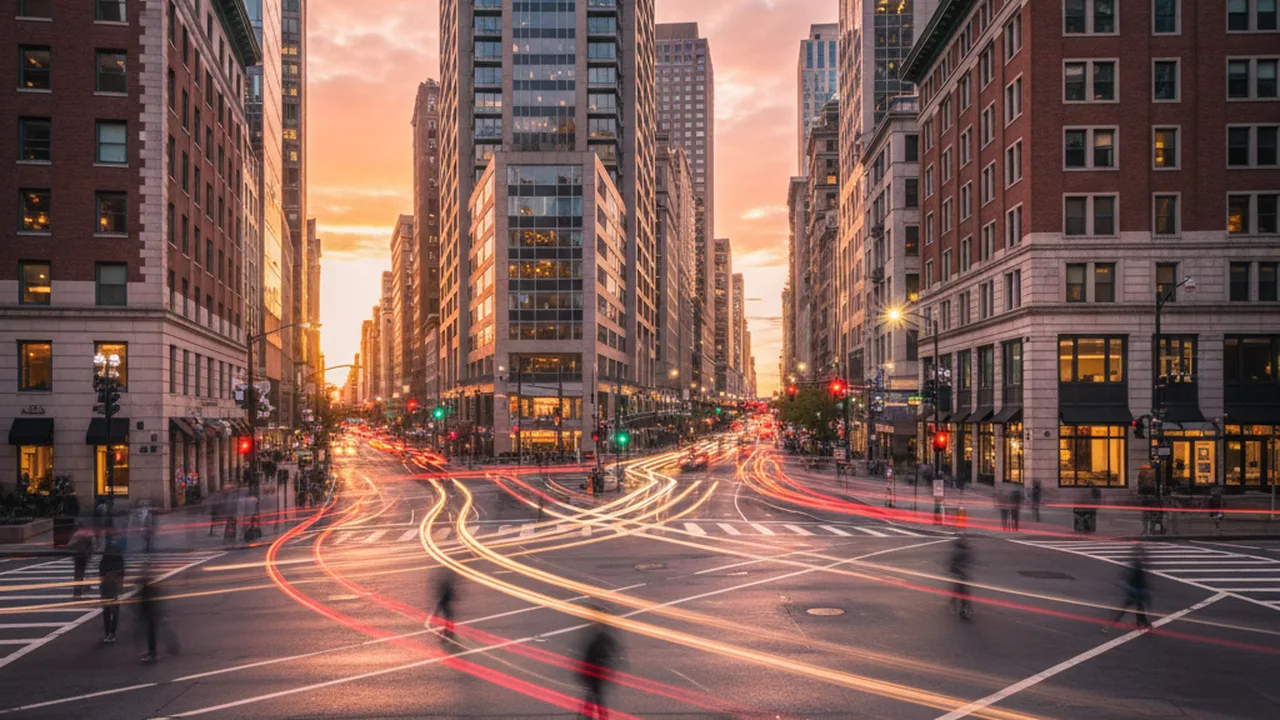
3. Removing Crowds from Tourist Spots
A 10-stop ND filter lets you shoot 30-second to 2-minute exposures in broad daylight. Since people move through the scene, they become transparent ghosts — or disappear entirely. This technique works at landmarks, plazas, and busy streets. The key requirement: your subject (the building, monument, or landscape) must be completely still.
4. Wide Aperture Portraits in Bright Sun
You want f/1.4 bokeh for a portrait, but it’s noon and sunny. Even at ISO 100, your fastest shutter speed of 1/8000s might not be enough. A 3-stop ND8 filter reduces the light by a factor of eight, giving you more room to use a wide aperture while keeping the exposure under control.

Portrait and wedding photographers who shoot wide-open primes in daylight often carry a 2 or 3-stop ND filter specifically for this purpose.
5. Video with Cinematic Motion Blur
The common 180-degree shutter guideline uses an exposure time of about 1 ÷ (2 × frame rate) — roughly 1/48s for 24fps (often set to 1/50s), or 1/60s for 30fps. Outdoors in sunlight, even f/8 and ISO 100 won’t get you to 1/50s. A 3-stop to 6-stop ND filter is essentially mandatory for outdoor video work with proper motion blur.
Types of ND Filters: Screw-On vs. Square
There are two physical formats, and each has genuine trade-offs:
| Feature | Screw-On (Circular) | Square/Rectangular |
|---|---|---|
| Convenience | Fast to attach/remove | Requires holder + adapter rings |
| Lens compatibility | One size per lens thread | One filter fits all lenses (with adapter) |
| Graduated ND | Fixed position — limited use | Slide up/down to position the transition |
| Stacking | Can cause vignetting | Stacks cleanly in holder slots |
| Price entry point | Varies by size, coating, and density | Holder and adapter add cost |
| Best for | Beginners, travel, video | Landscape pros, GND work |
Practical advice: Start with screw-on filters in the thread size of your most-used lens (often 67mm or 77mm). Buy a step-up ring if you have lenses with different thread sizes — attach the larger filter to the smaller lens using the adapter. If you later get serious about landscape work with graduated NDs, invest in a 100mm square system.
Variable ND Filters: Convenient but Compromised
Variable ND filters use two polarizing layers that rotate against each other. Turning the front ring adjusts the darkness from roughly 2 to 8 stops. Sounds ideal — one filter to replace several. The reality is more nuanced.
The cross-pattern problem: Some variable NDs show an X-shaped dark pattern near the upper end of their range, especially with wide-angle lenses. The usable limit varies by filter and focal length, so check manufacturer guidance and sample images for the exact model.
When variable NDs make sense: Video shooters who need to adjust exposure on the fly benefit most. For stills photography, fixed ND filters can be simpler to evaluate for color and uniformity, while variable filters offer faster exposure changes.
How to Shoot with an ND Filter: Step-by-Step
Step 1: Compose and focus without the filter. With a 10-stop ND attached, your viewfinder goes nearly black. Autofocus won’t work. Set up your shot first, lock focus (switch lens to MF), then attach the filter.
Step 2: Calculate the new shutter speed. Each stop doubles the exposure time. If your unfiltered exposure is 1/125s at f/11:
- With a 3-stop ND8: 1/125 → 1/60 → 1/30 → 1/15s
- With a 6-stop ND64: 1/125 → 1/60 → 1/30 → 1/15 → 1/8 → 1/4 → 1/2s
- With a 10-stop ND1000: 1/125 × 210 = 8.192 seconds (about 8 seconds on a camera dial)
Step 3: Switch to Manual or Bulb mode. For exposures under 30 seconds, Manual mode works. For longer exposures, use Bulb mode with a remote shutter release or your camera’s built-in timer app.
Step 4: Cover the viewfinder. On DSLRs, light leaking through the optical viewfinder during long exposures creates purple streaks. Use the eyepiece cover that came with your camera (often attached to the strap) or cover it with your hand. Mirrorless cameras don’t have this issue.
Step 5: Review noise reduction after a test frame. Some cameras use a second dark-frame exposure to reduce hot pixels, which roughly doubles the waiting time. Whether to enable it depends on the camera, exposure length, and your workflow; check the camera manual.
Common ND Filter Mistakes to Avoid
Judging filters by price alone. Compare measured density, color neutrality, flare resistance, frame thickness, and return policy. Look for sample images or independent measurements from the exact filter and size you plan to buy.
Forgetting to remove the UV or clear filter first. Stacking an ND on top of a UV filter doubles the glass surfaces, increasing the risk of flare and ghosting. If you use a protective filter, remove it before adding the ND.
Moving the camera during a long exposure. A stable tripod or other firm support is the reliable choice for multi-second exposures. Use a timer or remote release and check the result at full size.
Using the wrong stabilization setting. Tripod detection and stabilization behavior vary by camera and lens. Follow the relevant manual, then compare a test frame if sharpness is in doubt.
Not checking for color casts. Even good ND filters may have a slight color shift. Shoot a test frame with and without the filter, then compare in Lightroom. If there’s a cast, note the white balance offset (e.g., +300K and +5 tint) and apply it as a correction preset for that filter.
Graduated ND Filters: Handling Bright Skies
Graduated ND (GND) filters are dark on top and clear on the bottom, designed to darken a bright sky while leaving the foreground properly exposed. They come in three transition styles:
- Hard-edge GND: Sharp transition line. Best for flat horizons (ocean, plains)
- Soft-edge GND: Gradual transition. Works with uneven horizons (mountains, trees, buildings)
- Reverse GND: Darkest at the center horizon, lighter toward the top. Purpose-built for sunsets where the brightest area is the horizon itself
When is a GND useful? Compare a test RAW file with bracketing or a graduated filter for the scene at hand. A physical GND controls brightness at capture; bracketing can preserve detail when the subject is stationary. Moving trees, water, or people may complicate blending.
ND Filters for Different Photography Styles
| Photography Style | Recommended ND | Typical Exposure |
|---|---|---|
| Waterfall / river | 6-stop ND64 | 0.5–8 seconds |
| Ocean / seascape | 10-stop ND1000 | 30s–4 minutes |
| Cloud movement | 10-stop ND1000 | 2–5 minutes |
| Crowd removal | 10-stop ND1000 | 30s–2 minutes |
| Portrait in sun | 3-stop ND8 | 1/500–1/2000s |
| Video (24fps outdoor) | 3–6 stop (or variable) | 1/50s fixed |
| Sunrise/sunset landscapes | 3-stop GND + 6-stop ND | 1–15 seconds |
Frequently Asked Questions
Can I use an ND filter at night?
Technically yes, but there’s rarely a reason to. At night, you already have low light — the challenge is getting enough exposure, not reducing it. The exception is shooting near very bright artificial light sources (like neon signs or stadium lights) where you want motion blur but the lights are overpowering the scene.
Do ND filters affect autofocus?
Light ND filters (1-3 stops) generally don’t interfere with autofocus on modern cameras. Strong ND filters (6-10 stops) reduce so much light that autofocus slows down dramatically or fails entirely. Always focus before attaching a strong ND filter, then switch your lens to manual focus to lock it.
What size ND filter should I buy first?
Buy the filter size that matches your largest lens thread diameter, then use step-up adapter rings for your smaller lenses. For example, if you own a 67mm and a 77mm lens, buy the 77mm ND filter and a 67-77mm step-up ring. This way one filter works for both lenses.
Are cheap ND filters worth it?
There is no universal price threshold. Compare the exact filter’s density, color cast, reflections, and edge performance using credible sample images or independent measurements. Return it if it does not meet your needs.
Can I stack multiple ND filters?
Yes — stacking a 6-stop and 10-stop gives you 16 stops of reduction. However, stacking increases the risk of vignetting (dark corners), especially on wide-angle lenses below 24mm. It also adds glass surfaces that can cause ghosting and flare. Use slim-profile filters to minimize vignetting, and avoid stacking more than two filters.
Building Your ND Filter Kit
If you’re starting from zero, here’s a practical buying order:
First filter: 6-stop ND64 in your most-used thread size. This is the most versatile single ND filter — enough for silky water in overcast conditions, video work, and moderate long exposures.
Second filter: 10-stop ND1000. This unlocks ultra-long exposures in daylight: smooth oceans, cloud streaks, crowd removal.
Third filter (if you shoot video or portraits): 3-stop ND8 or a quality variable ND. The 3-stop handles wide-aperture portraiture in bright sun. The variable ND is ideal for video where you need exposure adjustments between takes.
Optional upgrade: A 100mm square filter system with holder, if you shoot landscapes seriously and want graduated ND capability with precise positioning.
How to Compare ND Filters
Choose the density from the shutter speed you want, then check the filter thread size on your lens. A larger filter with a step-up ring can cover smaller lens threads, but check for hood and vignetting issues. Compare manufacturer specifications with independent sample images for color cast, flare, and sharpness. We have not performed side-by-side optical testing for this guide.
Documented example: The B+W MASTER 810 ND 3.0 is a nominal 10-stop fixed filter. Schneider-Kreuznach lists a 77 mm size and MRC nano coating. If this model and size fit your lens and budget, check its current Amazon listing; verify the exact model before ordering. The link is affiliate and may earn a commission at no extra cost to you.
Final Thoughts
An ND filter gives you longer exposures or wider apertures in bright light while keeping shutter speed within the desired range. Start with one density that fits a specific shooting goal, test it in familiar conditions, and review exposure and color before buying additional filters.
Start with a 6-stop, take it to the nearest stream or coast, and spend an afternoon experimenting with different shutter speeds. The results will make the purpose of every number in this guide click into place.
Need a shutter time for your own filter? Use the ND filter calculator to convert stops, filter factor, or optical density into a starting exposure.
Next step: Use our long exposure photography guide to plan shutter speed, support, and moving subjects. The stop-to-exposure examples above follow the standard doubling rule; the product example is based on manufacturer documentation, not personal testing.