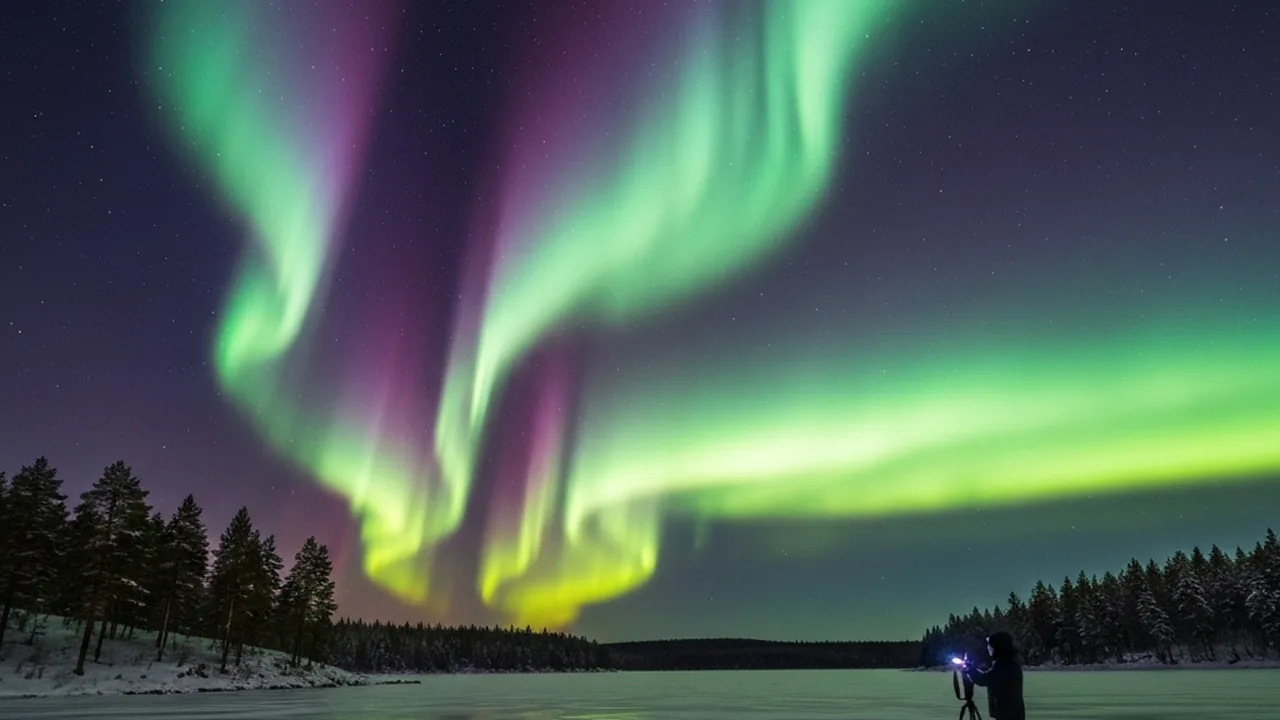
Your alarm goes off at 2:47 AM. Outside your cabin in northern Norway, the KP index just hit 5 — high enough to guarantee a display. You’ve been waiting three nights for this. You grab your camera bag and step outside into −15°C air, and there it is: green curtains of light rippling across the entire sky, dancing faster than you expected. Your hands are shaking — partly from cold, partly from adrenaline. Do you know exactly what settings to dial in right now?
Auf einen Blick: Your alarm goes off at 2:47 AM. Outside your cabin in northern Norway, the KP index just hit 5 — high enough to guarantee a display. You’ve been waiting three nights for this. You grab your…
Northern lights photography is one of the most rewarding challenges in landscape photography. The aurora is unpredictable, fast-moving, and deeply sensitive to your camera settings. Get them wrong and you’ll return home with blurry, noisy, color-dead images. Get them right and you’ll capture images that stop people mid-scroll.
This complete guide covers everything: the best gear, the exact camera settings, how to read aurora forecasts, scouting locations, composition techniques, and post-processing workflows — so you’re ready the moment the lights appear.
- Best starting settings: ISO 1600, f/2.8, 8–10 sec shutter
- Best months: September–March (dark skies near equinoxes)
- Minimum KP index: KP3 for mid-latitudes, KP1 near Arctic Circle
- Essential gear: Fast wide-angle lens, sturdy tripod, spare batteries
- Best locations: Iceland, Norway, Finland, Alaska, Yukon (Canada)
- Format: RAW only — JPEG will destroy aurora colors
Planning Your Aurora Photography Trip
The single biggest factor in northern lights photography isn’t your camera — it’s timing. You can own the most expensive Sony mirrorless body on the market and still come home empty-handed if you haven’t done your planning homework.
Understanding the KP Index
The KP index measures global geomagnetic activity on a scale of 0–9. Think of it as an aurora intensity forecast. Here’s what each level means for photographers:
| KP Level | Aurora Visibility | Best Viewing Latitude | Photography Potential |
|---|---|---|---|
| KP 1–2 | Faint | 70°N+ (Arctic Circle only) | Low — needs very dark skies |
| KP 3–4 | Moderate | 60°N+ (Norway, Iceland, N. Finland) | Good — photogenic displays |
| KP 5–6 | Strong (minor storm) | 55°N+ (Scotland, Denmark, N. Canada) | Excellent — vibrant colors |
| KP 7–9 | Severe storm | 45°N+ (visible in N. Europe, N. USA) | Exceptional — rare opportunity |
Best apps for aurora forecasting: Space Weather Live, My Aurora Forecast & Alerts, and the NOAA 3-day aurora forecast at swpc.noaa.gov. Install all three and set alerts for KP3+. The aurora can spike and fade within 20 minutes, so real-time alerts matter.
Best Times of Year
Aurora activity peaks near the spring and fall equinoxes (March and September). This isn’t a myth — geomagnetic disturbances are statistically more frequent around equinoxes, and the longer nights give you more shooting windows. December and January offer the most darkness at northern latitudes but aren’t necessarily the strongest aurora months.
In Iceland and northern Norway, the season runs roughly October through March. The key variable is cloud cover — some photographers book 10-day trips to Tromsø and get clear skies for only 2 nights. Always check 3-day cloud forecasts from Yr.no (Norway’s national weather service) or Windy.com.
Scouting Your Location Before Dark
Drive your shooting location in daylight. You need to know exactly where to park, where the obstacles are, and what your foreground options look like. Use PhotoPills or The Photographer’s Ephemeris to plan the aurora position relative to your composition. Check for light pollution using Light Pollution Map (lightpollutionmap.info) — even a distant village can wash out faint displays.
Essential Gear for Northern Lights Photography
Camera Bodies
Any mirrorless or DSLR with manual exposure control can photograph the aurora — but high-ISO performance separates good aurora shots from great ones. You’ll be shooting at ISO 1600–6400 regularly. Cameras with backside-illuminated (BSI) sensors handle high-ISO noise significantly better than older designs.
Strong performers include the Sony A7 IV (excellent at ISO 3200–6400), Nikon Z6 III (exceptional dynamic range for post-processing recovery), Canon EOS R6 Mark II (top-tier in-body stabilization for handholding if needed), and the Fujifilm X-T5 for APS-C shooters who want portability.
Budget pick: Sony A6600 or Nikon Z5 II. Both handle ISO 3200 cleanly enough for aurora work at a fraction of full-frame prices.
Lenses: Your Most Important Investment
Aperture matters more than focal length for aurora photography. A fast wide-angle lens lets in significantly more light per stop, meaning you can use lower ISO or shorter shutter speeds (reducing aurora motion blur during fast displays).
The gold standard is a 14–24mm f/2.8 — the Nikon Z 14-24mm f/2.8 S and Sigma 14mm f/1.8 Art are exceptional. Budget-friendly alternatives: Samyang/Rokinon 14mm f/2.8 ($300–$400 range), or Viltrox 13mm f/1.4 for APS-C. Prime lenses at f/1.4–f/1.8 give you a stop of extra light over f/2.8 zooms, but require more precise manual focusing in the dark.
Tripod and Accessories
A tripod is non-negotiable. You cannot handhold a 10-second exposure. For cold-weather use, carbon fiber handles extreme temperatures better than aluminum (which can stick to bare skin and conduct cold into your hands). The Peak Design Travel Tripod and Gitzo GT1545T are popular choices for travel photographers. Key feature: a ball head that moves smoothly even in freezing temperatures.
Pack these accessories: a wired remote shutter release or intervalometer (to eliminate camera shake from pressing the shutter), spare batteries (cold kills batteries fast — carry 3+ and keep them warm in a chest pocket), a headlamp with red light mode (preserves night vision), and hand warmers to wrap around your battery grip.
Northern Lights Camera Settings: The Complete Guide
This is where most beginners make critical mistakes. The aurora is bright enough that many photographers overexpose it, washing out the colors. The goal is capturing detail in the aurora structure without blowing highlights or creating motion blur from long exposures.
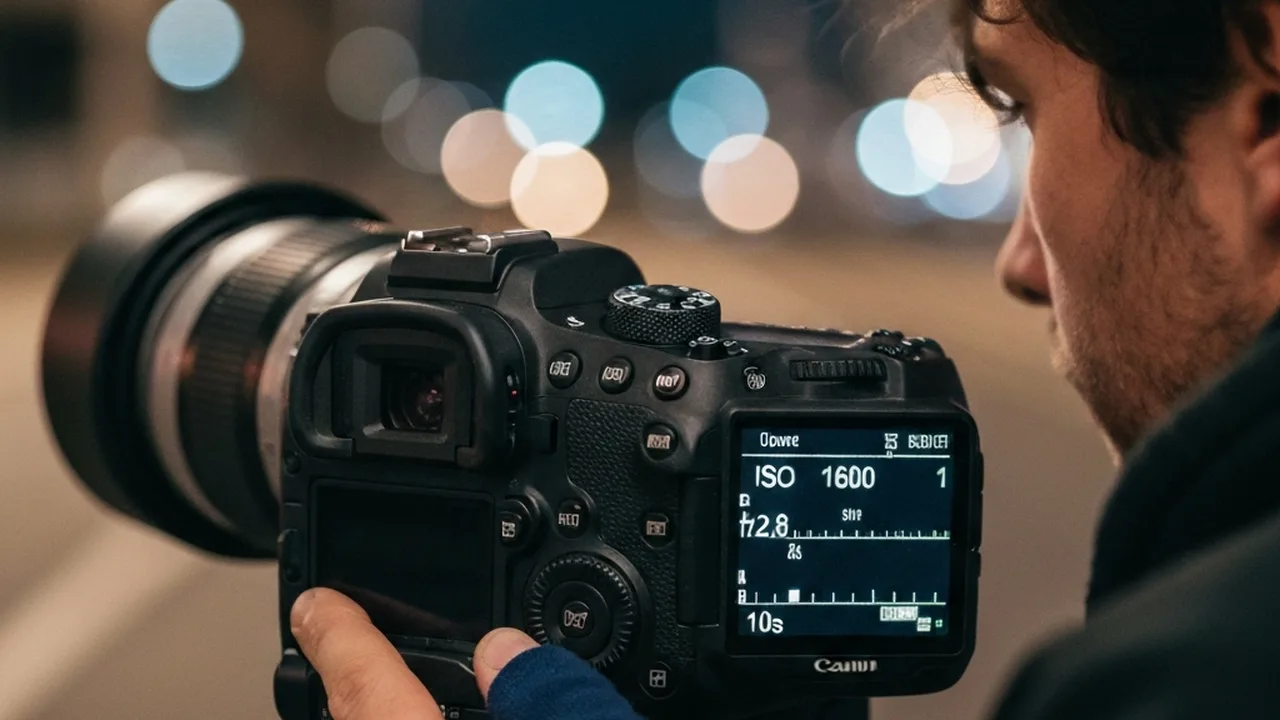
Starting Settings (Your Baseline)
- Mode: Full Manual (M)
- Aperture: f/2.8 (or widest available on your lens)
- Shutter speed: 8–10 seconds
- ISO: 1600
- White balance: 3500–4000K (fixed manual, NOT Auto)
- Focus: Manual, set to infinity (or use live view to focus on a bright star)
- Format: RAW only
- Drive mode: Single shot with 2-second delay or remote release
To avoid star trailing, divide 500 by your focal length (full-frame equivalent). On a 14mm lens: 500 ÷ 14 = 35 seconds max. But for active auroras, keep shutter under 15 seconds to freeze motion in the display. Active aurora moves — a 25-second exposure will turn sharp curtains into a smeared blob.
Adjusting for Aurora Brightness
Aurora brightness varies enormously — from a faint glow barely above the horizon to brilliant curtains that illuminate the landscape like moonlight. Here’s how to adapt:
| Aurora Brightness | Shutter Speed | ISO | Aperture |
|---|---|---|---|
| Faint / Diffuse | 15–25 sec | 3200–6400 | f/2.8 or wider |
| Moderate / Bands | 8–15 sec | 1600–3200 | f/2.8 |
| Active / Curtains | 3–8 sec | 800–1600 | f/2.8 |
| Intense / Corona | 1–3 sec | 400–800 | f/2.8–f/4 |
Use your histogram — not the LCD preview — to judge exposure. The aurora display on your screen looks brighter than it really is in cold temperatures. Aim for a histogram where the aurora highlights sit at about 75–80% right (not clipping). If you see the rightmost histogram peak touching the wall, reduce shutter speed first, then ISO.
Manual Focusing in the Dark
Auto-focus fails at night. Switch to manual focus, zoom your lens to 14mm (or widest), then use Live View zoomed to 10x on a bright star near the edge of the frame. Slowly rotate the focus ring until the star becomes the smallest, crispest point of light. Lock focus there. Do this before the show starts, with a red headlamp — you won’t have time to adjust once the aurora is dancing.
If your lens has hard infinity stops, use them — many modern lenses do not, and some overshoot infinity slightly. Test yours in daylight first.
Composition Techniques for Aurora Photography
The aurora itself is only half the image. What separates a memorable aurora photo from a forgettable one is what’s happening at the bottom of the frame.
Finding Strong Foreground Interest
Water is your best friend. A still lake or inlet creates perfect mirror reflections of the aurora, effectively doubling the visual impact of your frame. Tromso’s Ersfjordbotn bay, Iceland’s Jokulsarlon glacier lagoon, and Finland’s frozen Saariselkä lakes are legendary aurora reflection spots for exactly this reason.
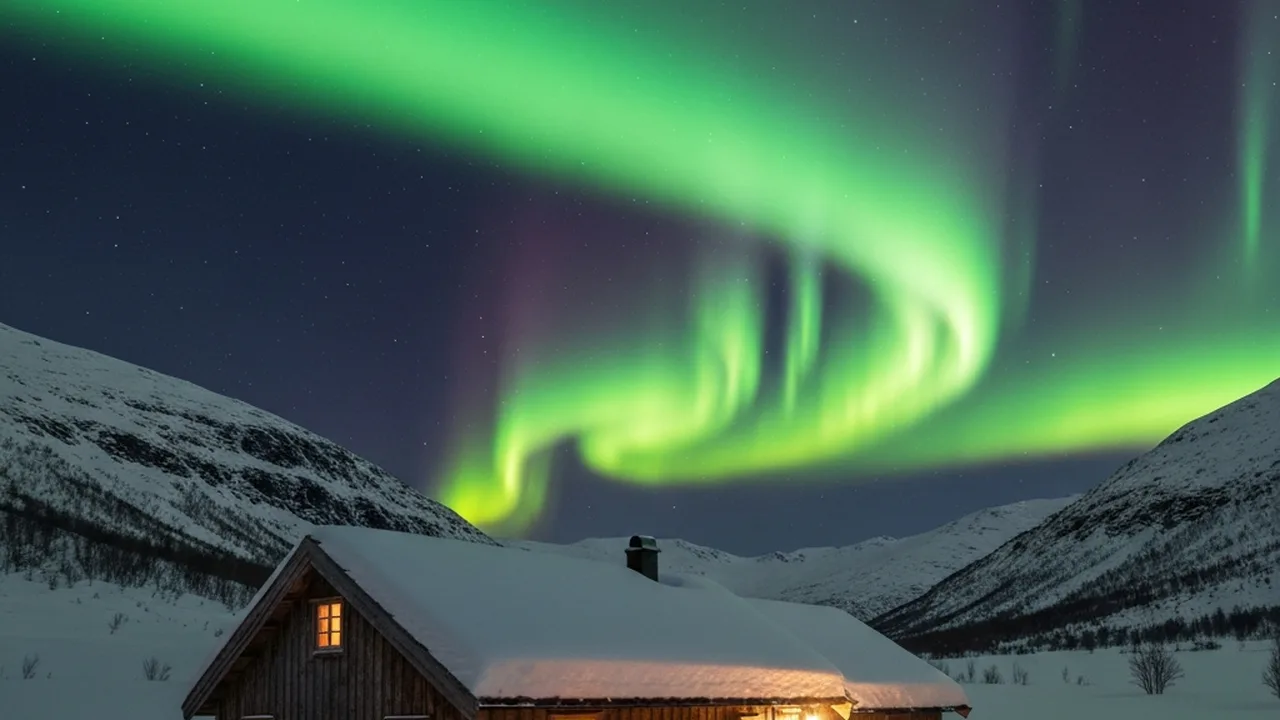
Other compelling foregrounds: snow-frosted trees (add scale and depth), a solitary cabin or lighthouse with warm window light (the contrast of warm artificial light against cold aurora is powerful), frozen waterfalls like Iceland’s Skógafoss, rock formations on a shoreline, and lone figures in silhouette. Scout for these in daylight.
The Rule of Thirds — Then Break It
Position the horizon in the lower third of the frame to give the aurora maximum sky real estate. But when the aurora corona opens directly overhead (a rare, spectacular event where rays converge in a radial burst above you), point your camera straight up and shoot a vertical or a fisheye perspective — the rule of thirds doesn’t apply to that moment. Read the display, then read the composition.
Include a human silhouette when possible. A figure — even a tiny one at the shoreline — gives viewers a sense of scale and creates an emotional anchor. It transforms a nature photograph into a story.
Post-Processing Northern Lights Photos
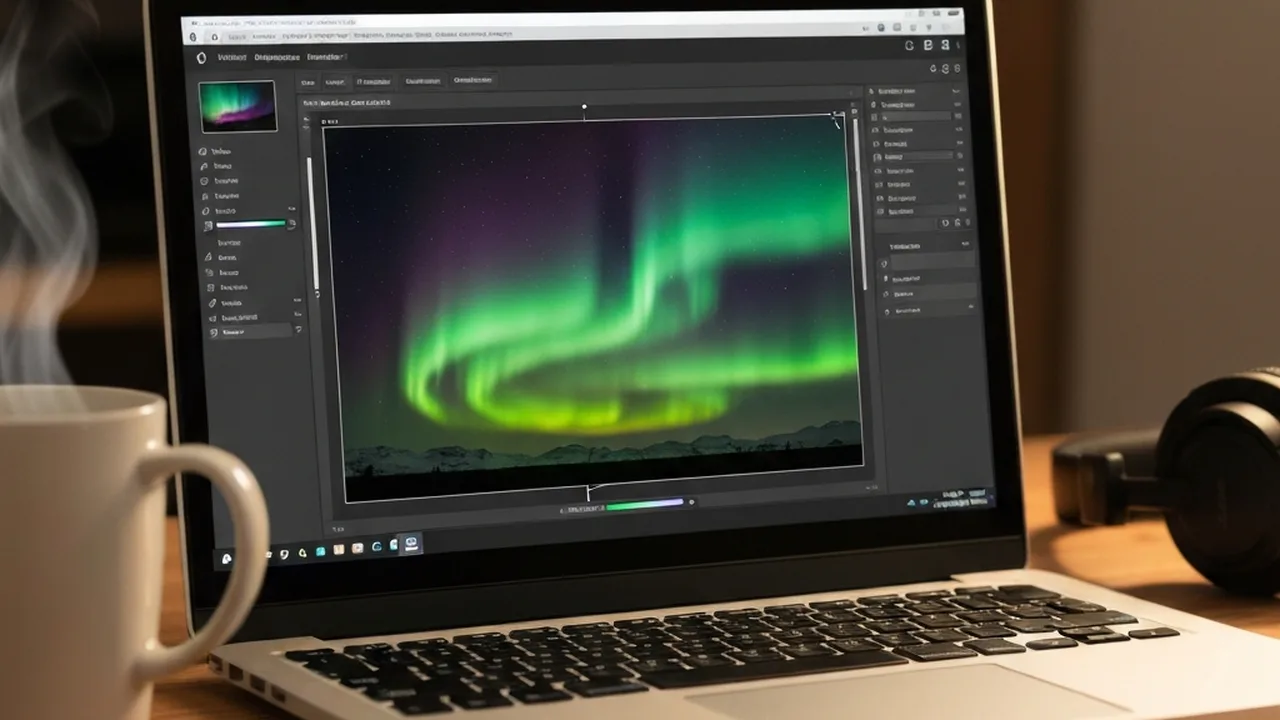
You shot RAW. Now the real work begins. Aurora RAW files straight out of camera look flat, often slightly green-shifted, with visible noise. Here’s the editing workflow that brings out the full spectrum of colors.
Lightroom/ACR Workflow
- White balance first. Set manually to 3500–4000K if you didn’t in camera. Cooler temps (3000–3500K) make the scene look more atmospheric; warmer (4500K+) starts looking artificial for night scenes.
- Exposure and highlights. Bring highlights down by −40 to −70 to recover blown aurora detail. Raise shadows slightly to lift the foreground without brightening the sky.
- Clarity and Texture. Add +20–30 Clarity to bring out the rays and curtain structure. Keep Texture lower (+10–15) — overdoing it creates a crunchy, HDR look.
- HSL adjustments. In the Hue/Saturation/Luminance panel: boost green saturation (the dominant aurora color), push the hue slightly toward yellow-green (away from neon) for naturalism. Magenta and purple hues often appear in strong auroras — pull their luminance down slightly to add depth.
- Noise reduction. This is critical. Use Lightroom’s AI Denoise (Cmd/Ctrl+D in Develop) or Topaz DeNoise AI. Standard luminance NR at 40–60 works well for ISO 1600–3200. Higher ISO shots benefit more from AI tools.
- Lens corrections. Enable profile corrections and remove chromatic aberration — wide-angle lenses create colored fringing on high-contrast edges like bright stars against dark sky.
One mistake to avoid: adding excessive vibrance or saturation globally. The aurora’s greens can very quickly shift into neon-unreal territory. Instead, use targeted HSL adjustments. A 10% saturation boost to greens looks more natural than a +30 global saturation slider.
Common Mistakes That Ruin Aurora Photos
- Auto white balance. AWB shifts constantly between frames, making sequential shots inconsistent and pushing aurora colors toward orange or gray. Set a fixed Kelvin value before you start.
- Shooting JPEG. JPEG is heavily compressed and limits post-processing latitude. The colors you see in RAW simply don’t survive JPEG compression at night. There’s no good reason to shoot aurora in JPEG.
- Too long shutter speed for active aurora. During fast-moving curtain phases, a 20-second exposure turns sharp structure into a flat green smear. Match your shutter to the aurora’s movement speed — when it’s active, go shorter and push ISO instead.
- Forgetting spare batteries. At −15°C, a single Li-ion battery may last only 45–60 minutes instead of the rated 400+ shots. Cold deactivates battery chemistry. Carry 3–4 charged batteries and keep them warm in a chest pocket until needed.
- Checking your phone in the dark. Your eyes take 20–30 minutes to fully adapt to darkness. One glance at a bright phone screen resets that adaptation. Use your phone only with a screen dimmer app or brightness at minimum, or rely entirely on a red headlamp for navigation.
- Forgetting to check focus after each lens adjustment. Bumping the focus ring in the cold is common. Check your live view focus on a star after any bumps or lens changes.
Best Locations for Northern Lights Photography
Not all aurora destinations are equal for photographers. Here’s an honest assessment of the top locations based on frequency of clear skies, aurora intensity, and photographic foreground options:
| Location | Best Months | Cloud Cover Risk | Signature Shot |
|---|---|---|---|
| Northern Norway (Tromsø) | Oct–Mar | Medium–High | Fjord reflections, fishing cabins |
| Iceland (South Coast / Jökulsárlón) | Sep–Mar | High (but fast changes) | Glacier lagoon, black sand beaches |
| Finnish Lapland (Saariselkä) | Sep–Mar | Lower than Norway | Snowy forest, frozen lakes |
| Yukon / Whitehorse, Canada | Sep–Apr | Low (clear cold nights) | Wilderness, mountain silhouettes |
| Fairbanks, Alaska | Aug–Apr | Low (interior Alaska is dryer) | Birch forests, aurora over log cabins |
Finnish Lapland and interior Alaska/Yukon consistently outperform Norway and Iceland for clear-sky frequency. If you’re making a dedicated aurora photography trip and clear skies matter as much as dramatic scenery, consider these over the more popular (but cloudier) Scandinavia options.
Frequently Asked Questions
What camera settings should I use for northern lights photography?
Start with ISO 1600, aperture f/2.8, and shutter speed 8–10 seconds. Adjust based on aurora brightness — a strong, active display needs a shorter shutter speed (3–6 sec) to freeze the motion; a faint glow needs longer exposures (15–25 sec) with higher ISO. Always shoot in manual mode and RAW format, with white balance fixed at 3500–4000K.
Do I need a special camera to photograph the northern lights?
No special camera is required, but good high-ISO performance makes a significant difference. Modern mirrorless cameras like the Sony A7 IV, Nikon Z6 III, or Canon R6 II handle ISO 3200–6400 with much less noise than older DSLRs or budget compacts. The more important factor is having a fast (f/2.8 or wider) wide-angle lens — the lens matters more than the camera body for aurora photography.
What is the best time of year to photograph the northern lights?
September–March is the traditional aurora season at high latitudes. The equinoxes (late September and late March) see statistically higher aurora activity due to the orientation of Earth’s magnetic field. December and January offer the longest nights but aren’t necessarily the strongest months for geomagnetic activity. The key variable is clear sky — always check cloud forecasts 3–5 days ahead before booking travel.
Can I photograph the northern lights with my iPhone?
Yes — modern iPhones (iPhone 13 and later) with Night Mode can capture faint aurora displays, especially during strong KP5+ events. Use a tripod and Night Mode (hold the shutter button to lock it to the longest exposure). The results won’t match a dedicated camera with a fast lens, but many photographers have captured usable aurora shots on recent smartphone cameras during intense events.
How do I focus my camera for northern lights photography?
Switch to manual focus. Use Live View mode and zoom to 5–10x magnification on a bright star. Slowly rotate the focus ring until the star is the sharpest, smallest pinpoint possible. Many photographers mark their lens’s infinity focus point with a small piece of tape once they’ve found it in daylight. Auto-focus will hunt and fail in near-total darkness — always use manual.
Why do my northern lights photos look green but not the same as the photos I see online?
Two reasons: post-processing and camera settings. The aurora’s green color (from oxygen at ~100km altitude) is real, but the vivid, detailed curtain structure in professional photos comes from careful Lightroom editing — targeted HSL adjustments, clarity, and noise reduction. Also, auto white balance in camera shifts colors unpredictably. Shoot RAW with fixed white balance at 3500–4000K, then apply careful post-processing. The colors you see in great aurora photos are real, not fake — they just require intentional editing to bring out.
Ready to Capture the Northern Lights?
Explore our full photography guides — from gear reviews to technique breakdowns designed for every skill level.
Explore More Photography Guides
Find the perfect gear and techniques for your next shoot.